
Your new German store went live in March and everyone was happy. By June there were forty new products, a revised shipping page and a handful of blog posts. But only in your own language.
By September, the German version shows only two thirds of the catalog, a shipping page that no longer matches reality, and untranslated meta-titles that give Google the wrong SEO information.
Nobody did anything wrong. Translation and localization are complex processes which involve lots of manual work after each publication.
Almost every comparison of multilingual WordPress ranks tools by features and prices. That only measures the launch – and hardly anyone fails at launch.
Two approaches dominate here: translation plugins that store content inside your WordPress database, and proxy layers that generate a synchronized clone. In this article, we compare these solutions to see what really matters when making this important decision.
What is the Best Solution? Two Numbers for Your Decision
Spoiler alert! It is not the feature matrix. What matters is your page count, multiplied by how often your content changes.
A thirty-page brochure site that publishes something once a quarter is a completely different problem from a WooCommerce store with a thousand products, an assortment that changes regularly, and an active blog. The first produces a translation task every few months, the second produces dozens a week, forevermore.
Let’s be blunt about the small end straight away: if you have fewer than about twenty pages and your content rarely changes, a translation plugin is often the most practical choice. You will own your translations outright, pay a modest annual licence instead of a subscription, and the work will stay manageable because there is barely any of it.
Everything written below is about what happens when those two numbers grow.
Before you make your choice, ask these questions:
- How many pages, posts and products does the site have today, and what will that be in a year?
- How often does the content change – weekly, monthly, or almost never?
- How many markets or languages do I want to expand to?
- Who, by name, is responsible for updating the translations after each publication?
That last question is the one most teams cannot answer, and it actually predicts the outcome better than any feature list.
Three Ways to Translate a WordPress Site
There are multiple ways to go about translating your WordPress site, and the differences between them are not merely cosmetic, but architectural. In this article, we will consider the different options currently easily available:
- Translation plugins
- A separate site per market
- Proxy layer or a site clone
| Criterion | Translation plugins | A separate site per market or multisite | Proxy or clone layer |
| Where translations live | Your WordPress database | Each market’s own install | The vendor’s cloud |
| Effort per new page or product | Several translation tasks per item | A full publishing cycle per market | Automatic, synchronized from the source |
| Effect on your database | Rows multiply per language | A separate database per market | Essentially unchanged |
| Time to first live language | Weeks | Weeks to months | Days to weeks |
| Per-market divergence | Any changes | Any changes | Edit translations, make rules, change currency and exclude pages |
| SEO structure | Subfolder or subdomain, hreflang via the plugin, or TLD | A TLD per market, subfolder & hreflang (manual work) | Subfolder, subdomain or local TLD, hreflang automated |
| Costs | Annual licence, extra staff hours | Hosting and staff per market | Subscription, scaling with pages or words |
| Examples | WPML, Polylang and TranslatePress | Custom or Multilingual Press | Clonable and Weglot |
As a bonus, a fourth option deserves one honest paragraph. Browser translation, whether that is Chrome’s built-in feature or a client-side widget, costs nothing and does something for the visitor who has already found you.
However, browser translation produces no indexable pages, no hreflang signals and no local search visibility. If your plan is “people can just use Google Translate”, you do not actually have a multilingual site.
What Each Approach Costs You in Practice
So, let’s have a look at what each setup actually means for you and your website:
1. Translations stored in your database
Let’s start with what these do well, because it is a lot! There are several plugins that are widely popular across the internet.
WPML is a well-known plugin, runs on hundreds of thousands of sites, and offers the most granular control of any option here: every string, field and taxonomy term, editable directly in your site’s admin dashboard (wp-admin).
TranslatePress lets you translate in the front-end, and see the result immediately. Polylang has a free core. And in all three cases, all the translations belong to you and are located within your WP database.
The structural cost is that every change to the source creates tasks. Publish a product, edit a small section, everything generates several tasks. If you change a section in your return policy for example, it’s easy to forget to update other languages. This is fine if your website only contains twenty pages, but can become increasingly difficult to manage as the site grows.
The second cost is duplication. These plugins store each language version as WordPress content, multiplying rows in wp_posts, wp_postmeta and the term tables. Polylang in particular gets cumbersome past roughly a hundred pages, posts and products, because everything has to exist separately in the backend. WPML adds additional language-related queries and tables, especially for WooCommerce, which already generates a lot of database queries by itself.
What this means for web hosting:
A five-language store is not five times the content, but it can be several times the database. That shows up in WP_Query time on category, search and admin screens and in how long a staging refresh takes.
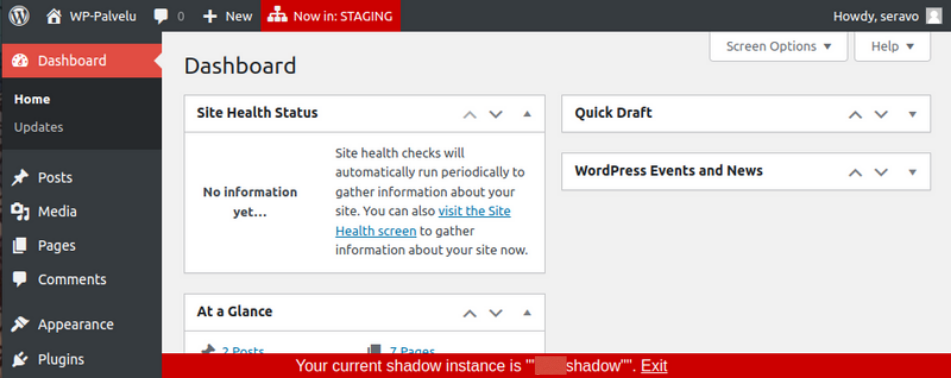
These plugins also hook deep into the rendering pipeline: string filtering, URL rewriting, page builder integration. That is what makes them powerful, and it is why a core, theme or WooCommerce update can break them. On a multilingual store, that breaks every language at once. Testing updates in staging before they reach production is not optional hygiene here, it is the thing standing between you and a bad Monday.
2. A separate website per market
You could also configure a multisite (WordPress network), or host different language versions in entirely separate WordPress installs, usually on country domains. While they may offer maximum local freedom, they are by a wide margin the most expensive option.
All content has to be maintained per install, which means a lot of manual work. For a WooCommerce store, you also need a way to solve other issues: for example how to keep product stock in sync across each individual site.
It only makes sense once a market justifies its own people. If you are considering it for market number two before you know whether market number two works, you are building infrastructure for a hypothesis.
3. A proxy setup that stays in sync
With a proxy setup, your source site is always the single source of truth. For example with Clonable, the translated version is generated from the source, and kept synchronized, so new content appears in every language without a second publishing workflow or any additional work. With a proxy setup like this, nothing is duplicated into your database, and language versions are mounted on subfolders, subdomains or local TLD domains. In a way, you get the best of the two worlds: performance and freedom.
When your site is cloned like this, translations live in the vendor’s cloud rather than in wp-admin, so your editorial workflow is partially located outside the WordPress installation. Per-market divergence happens mostly through a good context description and using glossary and style rules. That covers most of the translation quality, while specific details can be fine-tuned by post-editing your content.
What this means for your hosting
Using a proxy solution you will add an extra layer in front of your website. We made exactly that argument about putting Cloudflare in front of a WordPress site, and it applies this solution too. In our own measurements, the added response and loading time is around 0,2 seconds.
Database-stored translations carry overhead as well, and it is not a fixed amount: it grows and expands with your catalog, your language count and the size of your postmeta table, and it lands on precisely the queries that build your category, search and admin pages. 0,2 seconds that stays 0,2 seconds is a different kind of cost from one that compounds as you grow.
With a poxy setup, your current hosting stays as-is. A proxy runs alongside your existing setup, so adding a language does not require any data migration. Instead, each additional language version generates additional traffic to your origin server. As your number of successful Clones grows, you may therefore need to consider whether your current hosting plan can handle the increased traffic and requests or if a higher tier plan is required.
What WooCommerce Adds to this Equation
An online store is a lot more than a brochure with a cart bolted on, and several things may break here specifically!
- Cart, checkout and ‘My Account’ cannot be cached conventionally, because every customer’s cart is unique. Whatever you add and put in front of your site, test it with those pages and against payment redirects.
- Product variations and attributes are content too. Sizes, colors, materials and their labels all need translating, and so do your product feeds, or your shopping and marketplace listings stay monolingual, while your site does not.
- Prices, currency and assortment are per market. Displaying a converted price is not the same as being paid in that currency, and local regulation, availability and seasonality mean some products should not appear in some countries at all.
- Order attribution per language version is how you find out whether a market is working. Without it you have a translated store, but no actual idea whether it bears fruit.
- Shipping costs per country deserve their own setup in WooCommerce. Clear, local shipping rates and familiar carriers build trust and help customers complete their order.
Localization is much more than translating content into another language. WooCommerce 11.1 added a native right-of-withdrawal flow for EU orders, a reminder that entering a market means meeting its rules, not just speaking its language. VAT treatment, address formats, local payment methods and consumer rights all must travel with the translation.
When to Consider Clonable
Clonable is a proxy translation approach. It clones your WordPress or WooCommerce site into additional language versions through a connector plugin, keeps every version synchronized with the source, and mounts them on a subfolder, subdomain or local domain.
Quality is steered with a glossary for brand and product terms, context about your business and tone of voice, and a central editor for per-language overrides. For stores it handles per-market assortment and pricing, translated product feeds, and order attribution per language version.
It is the right choice when at least one of these pain-points applies to your situation: many pages, frequent changes, several languages, or having nobody to ensure your translations stay fresh. If your site is small and static, or when you need genuinely divergent content per market rather than overrides, another solution is better for you.
The closest comparable product is Weglot, which works on the same principle. The structural difference worth knowing is pricing: Weglot scales with word volume that increases over time, while Clonable tracks the page count of your site. On a large catalog, these two pricing models behave very differently, so it’s recommended to discover what these numbers are on your own site before making a decision.
Which Setup Fits Your Store?
Now we know what the different options are, and what technical implications they have. To sum it up, we can now see in which scenario a proxy setup like Clonable is recommended for your site.
Choose a translation plugin if…
- You have roughly fifty pages or fewer, and content changes rarely.
- You need genuinely different content per market, not translated content.
- Someone owns translation maintenance as a real, named responsibility.
- You would rather pay a licence once a year and host the translations yourself.
Choose a proxy / clone if…
- Your catalog is large, changes often, or both.
- You want more than two languages without multiplying your workload by the same factor.
- You want to scale fast internationally.
- You are already using a plugin like WPML that slows down your site, and adding languages would make it worse.
In the end, the most important question is whether your setup still works when translation is or isn’t part of your daily tasks. Plugins answer that with human effort, which is doable when there is little content, and someone is looking after it. Proxies answer the problem with synchronization, which is the right solution when there is more content than any human workflow can track.

Conclusion
So before you compare feature tables, do three things. Count your pages and products. Count how many times you published something last month and how many languages you need to maintain. Then name the person who will do all the manual work in WordPress. If you cannot name them, you have your answer!
More Information
If you’re expanding into new markets, it puts new demands on the platform of your choosing. Seravo’s hosting for WordPress and WooCommerce is built for customers who want to focus on what’s essential, such as expanding to new markets.

Seravo – Premium Hosting for WordPress
Seravo is a premium hosting service providing a fast and secure server environment for your WordPress site. Our service includes everything you need to maintain your WordPress.
Learn more about our features and order today!